Top of page
 Search
 Quick-keys
 TOC
TOC
 Index
Index



Isolating parts and voices
Extract one or more parts of a multi-part score into new, separate ENF documents. Isolate contrapuntal voices out of a staff and into a new document. Here’s how …


How it works …
Isolate Part(s)
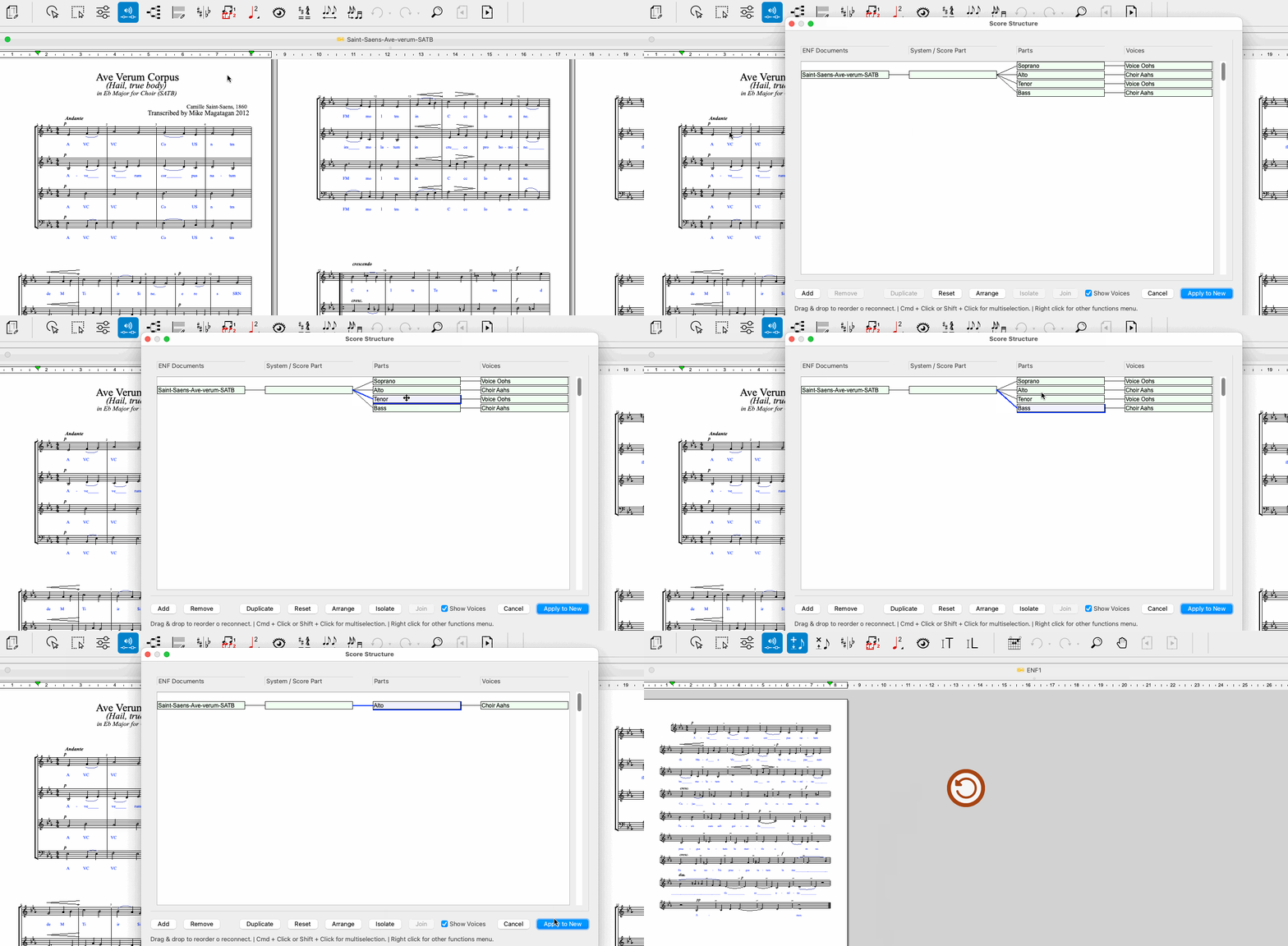
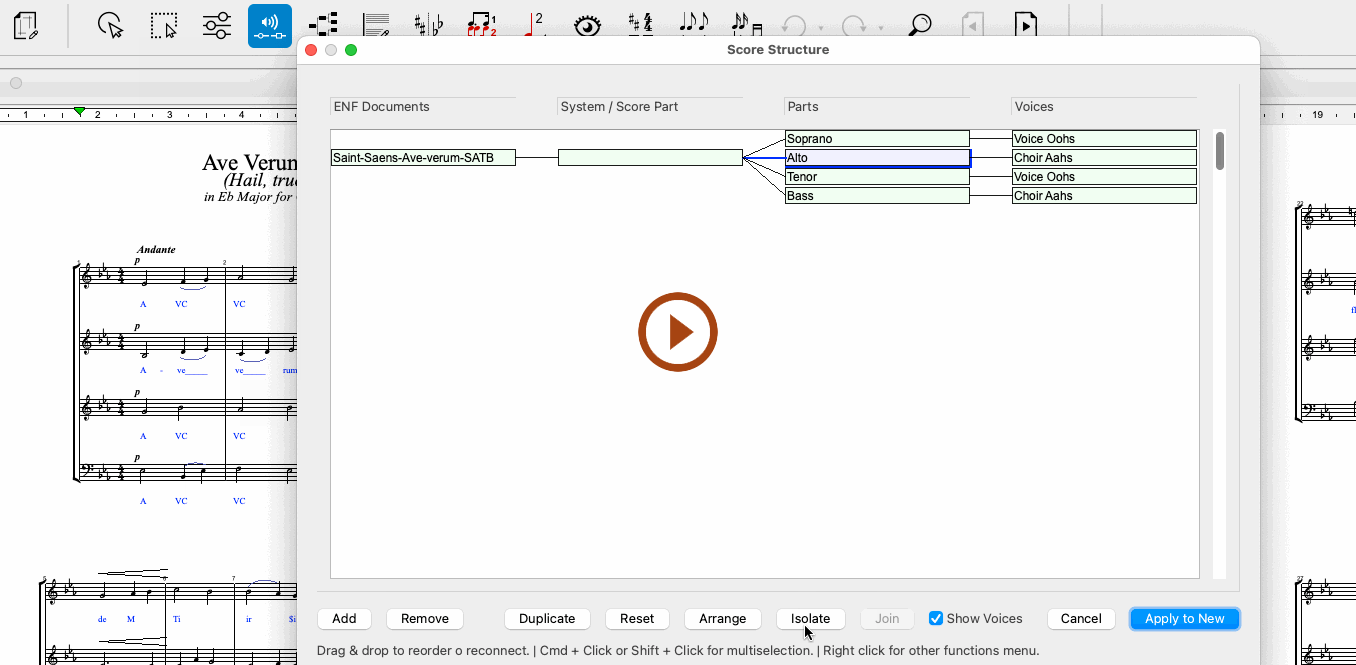
Animation (0:41) - Isolate Part(s) in Score Structure
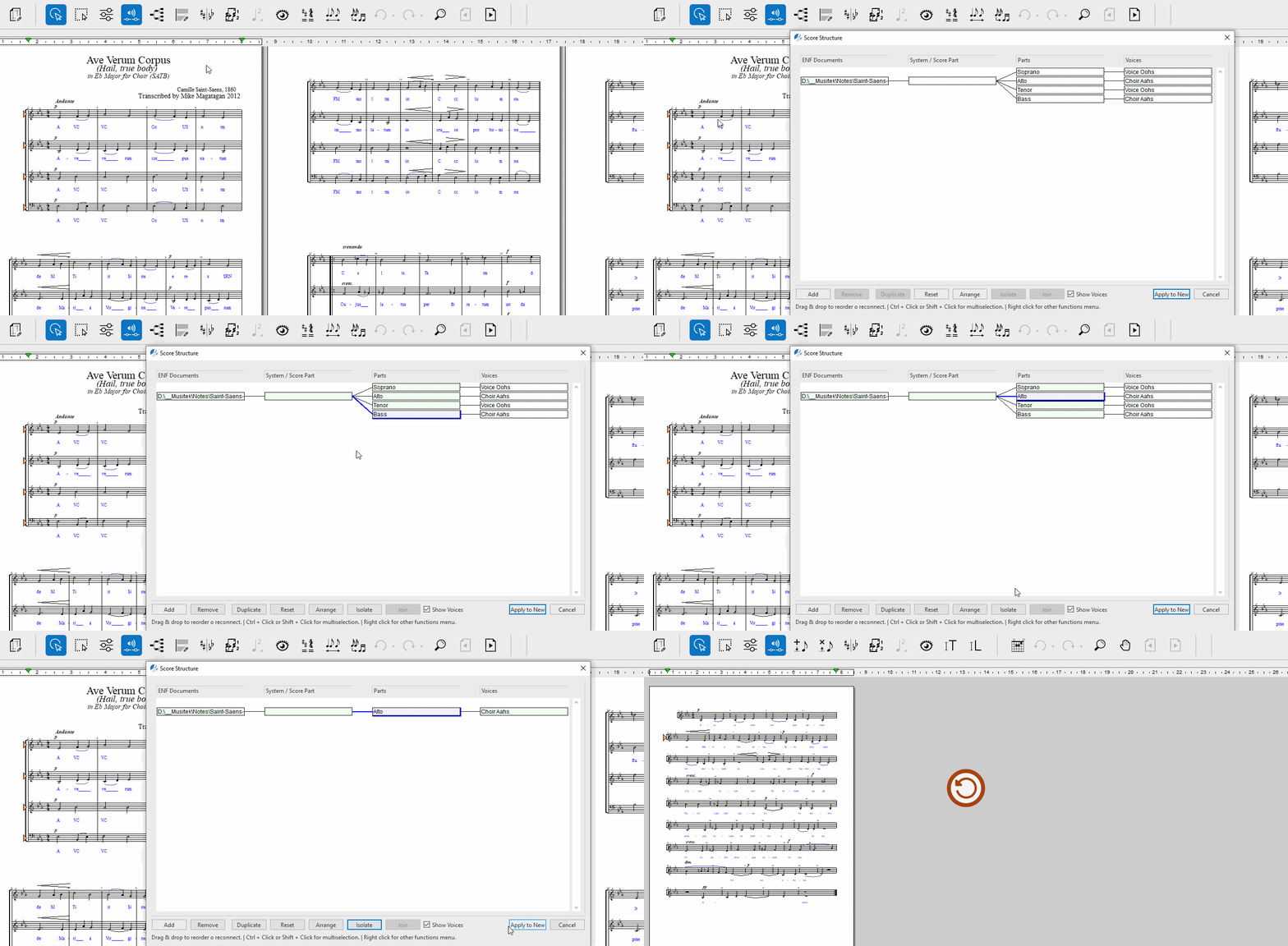
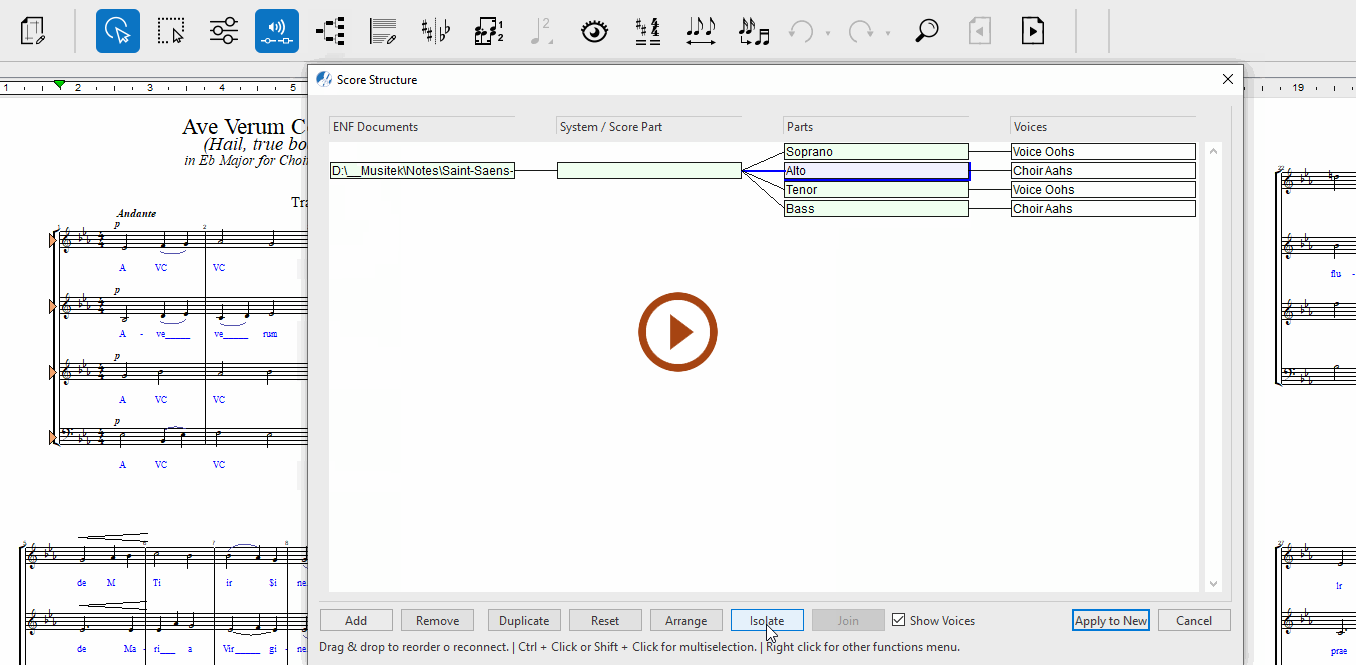
Animation (0:40) - Isolate Part(s) in Score Structure
1
To open, click the Score Structure button in the Tools tab toolbar or select or hit + .2
Click on one or more Parts you wish to extract.3
Click on Isolate.4
Apply to New will create a new document containing only those parts.
Isolate Voice(s)
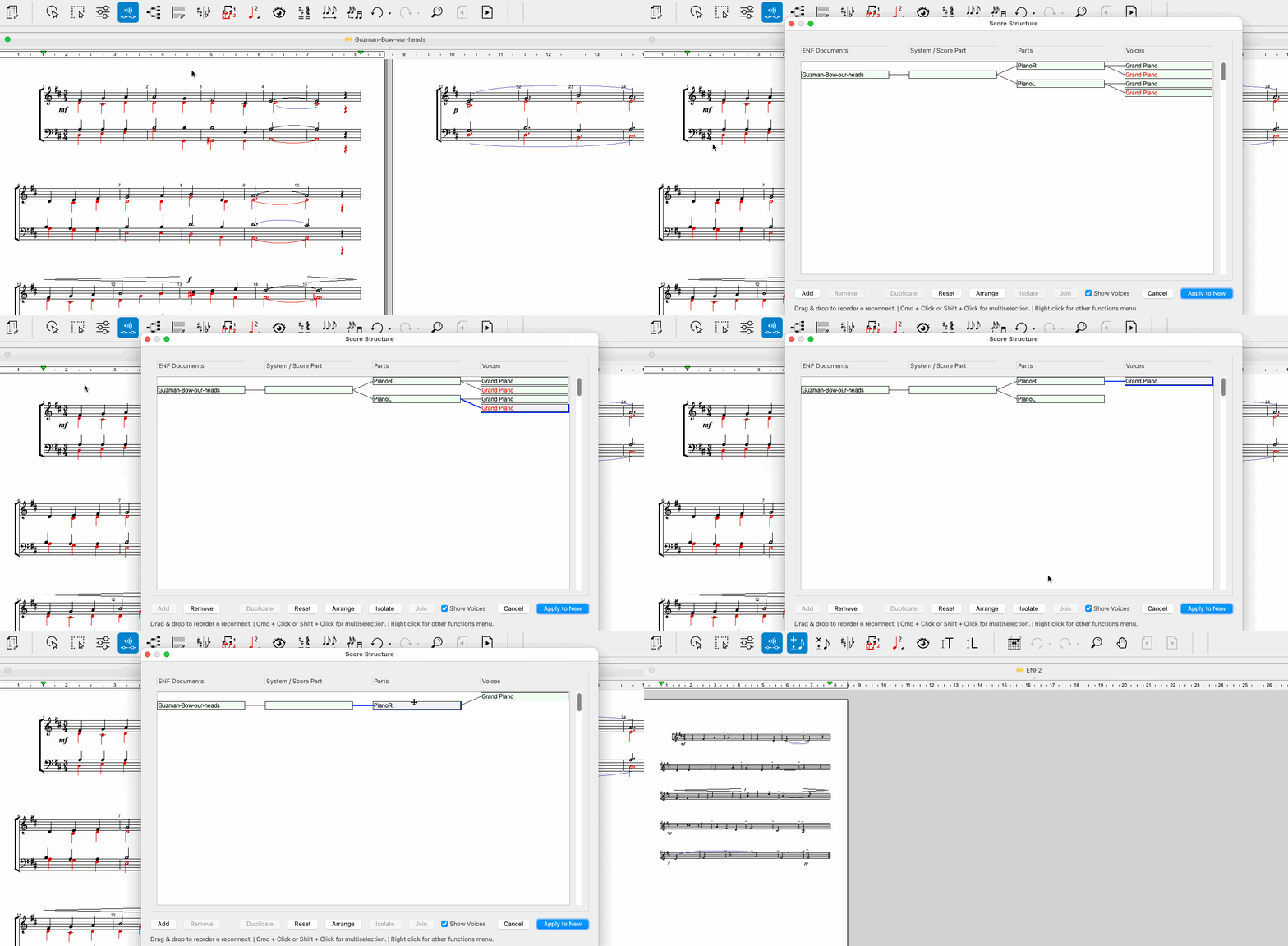
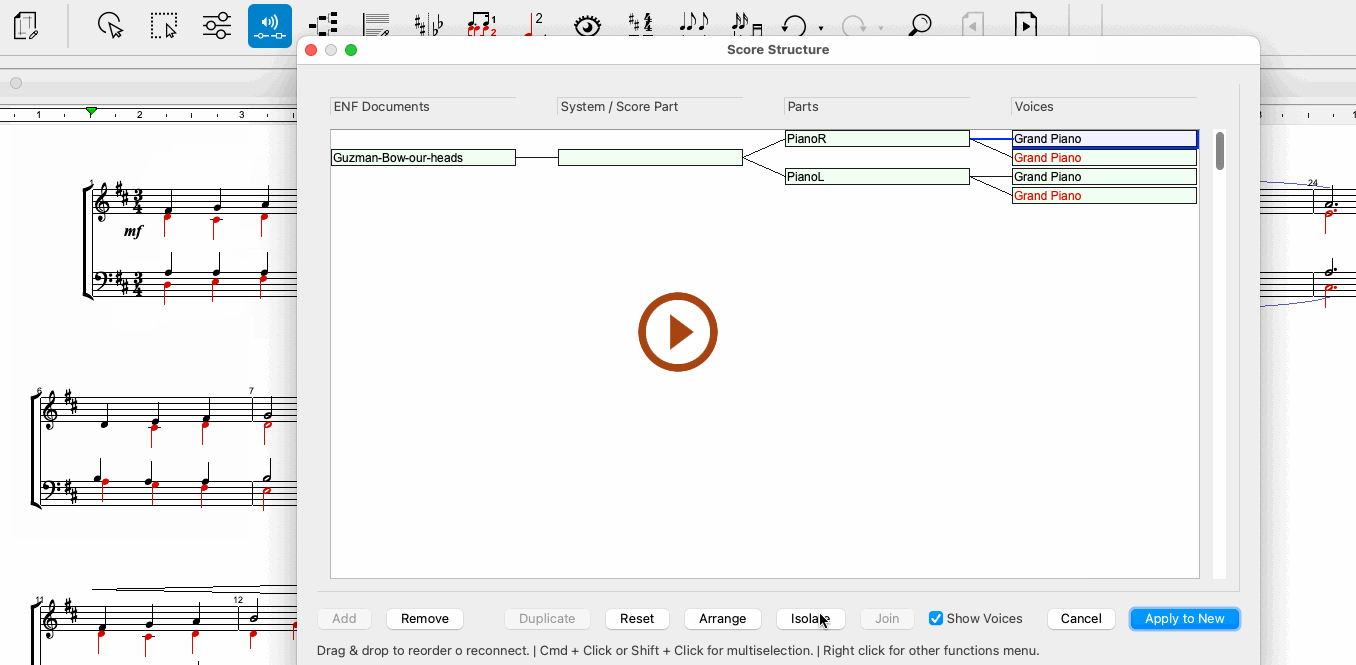
Animation (0:51) - Isolate voice(s) in Score Structure
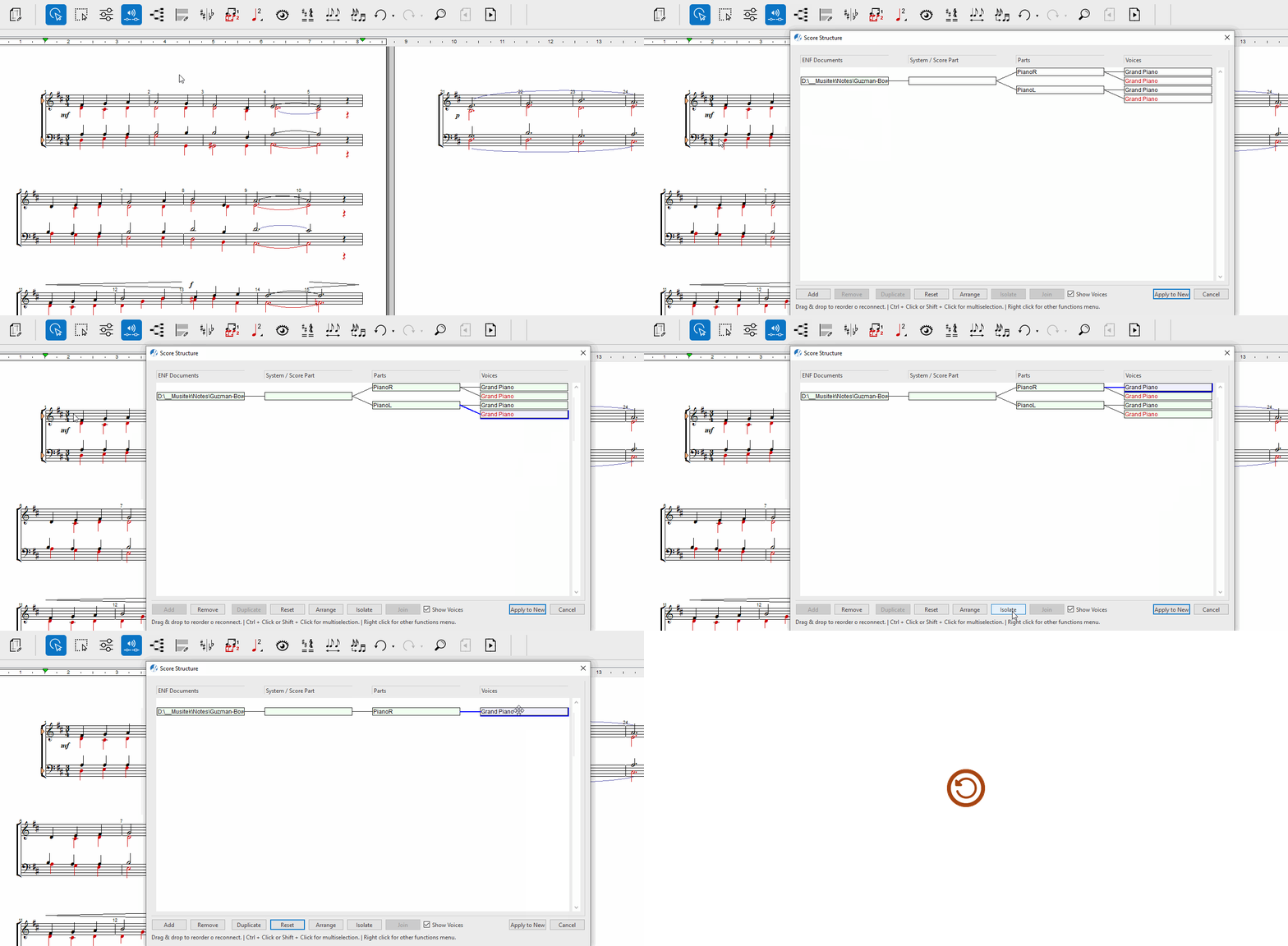
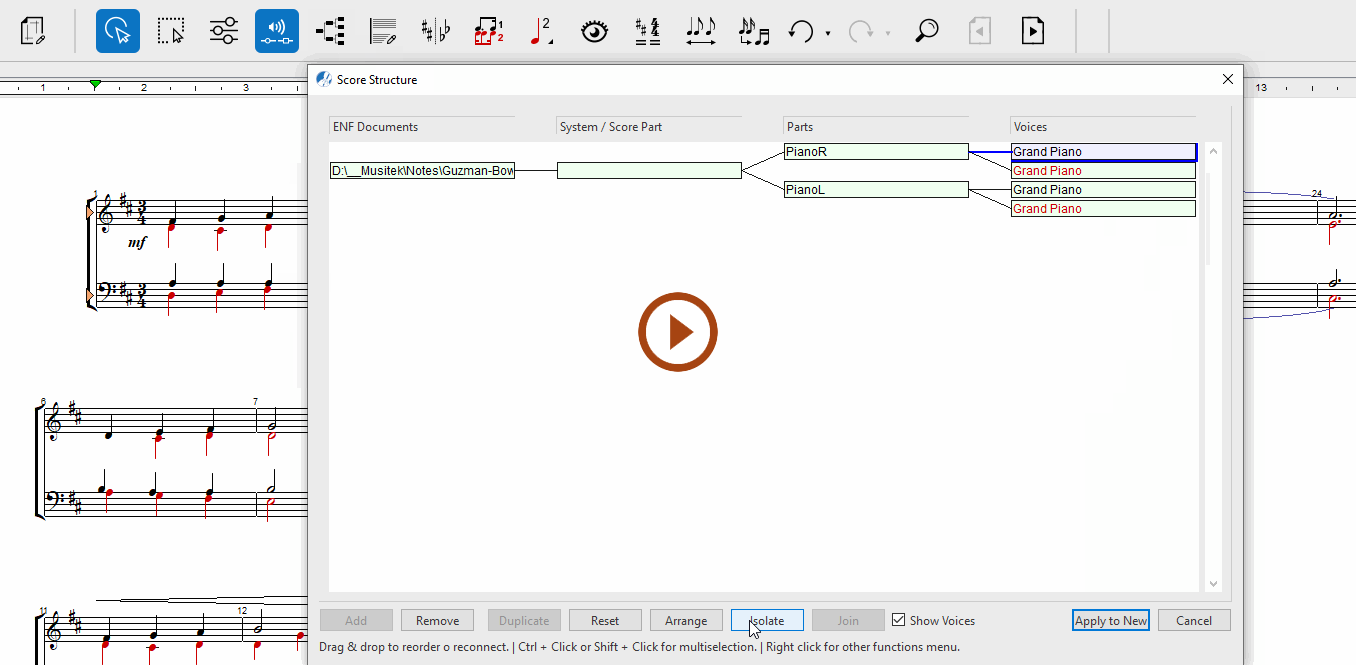
Animation (0:47) - Isolate voice(s) in Score Structure
1
Click on one or more Voices you wish to extract.2
Click on Isolate.3
Be sure to Remove any other parts you don’t want included.2
Apply to New will create a new document containing only that voice.
TIP …
Be sure to rename the newly created document. Go to give a new name and save to the appropriate folder.
Next page ➜
Splitting voices into individual staff linesSee also ⚆⚆
Score Properties (Overview)System Manager (Overview)Score Structure (Overview)Navigation ⚐
TOCIndexKeyword searchQuick-keysHomeMacintosh help